


1) Before you post a comment
- Try to reproduce the issue and note the exact time (terminal time).
- Double-check the product settings (inputs), symbol, and mode (market/pending).
- Make sure you are using the latest product version and terminal build.
2) What you must include in your comment message
- Symbol (e.g., EURUSD) and event time (date + exact time in terminal).
- Action type: BUY/SELL, Market/Pending, lot size.
- Expected vs Actual: what you expected and what actually happened.
- Attach the set file (inputs) if the product uses parameters.
Tip: you may blur your account number on screenshots. But logs should be attached in full whenever possible.
3) Point to ONE specific trade (or signal), not “overall”
To locate the event quickly in the logs, reference something concrete:
- Ticket number from History, or
- exact time + symbol + entry price, or
- for copiers/signals — the signal text exactly as received + what the terminal did.
4) What logs are needed (in 99% of cases)
-
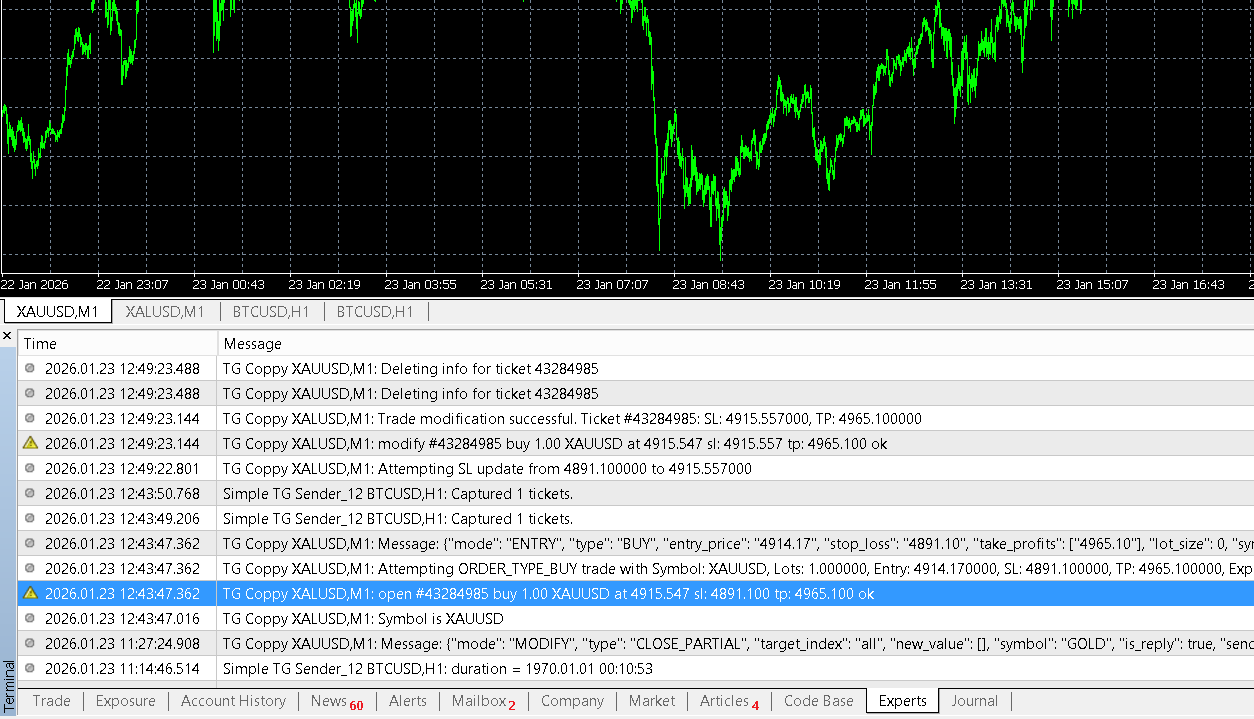
Experts (expert/advisor/utility log)
-
Journal (terminal journal)
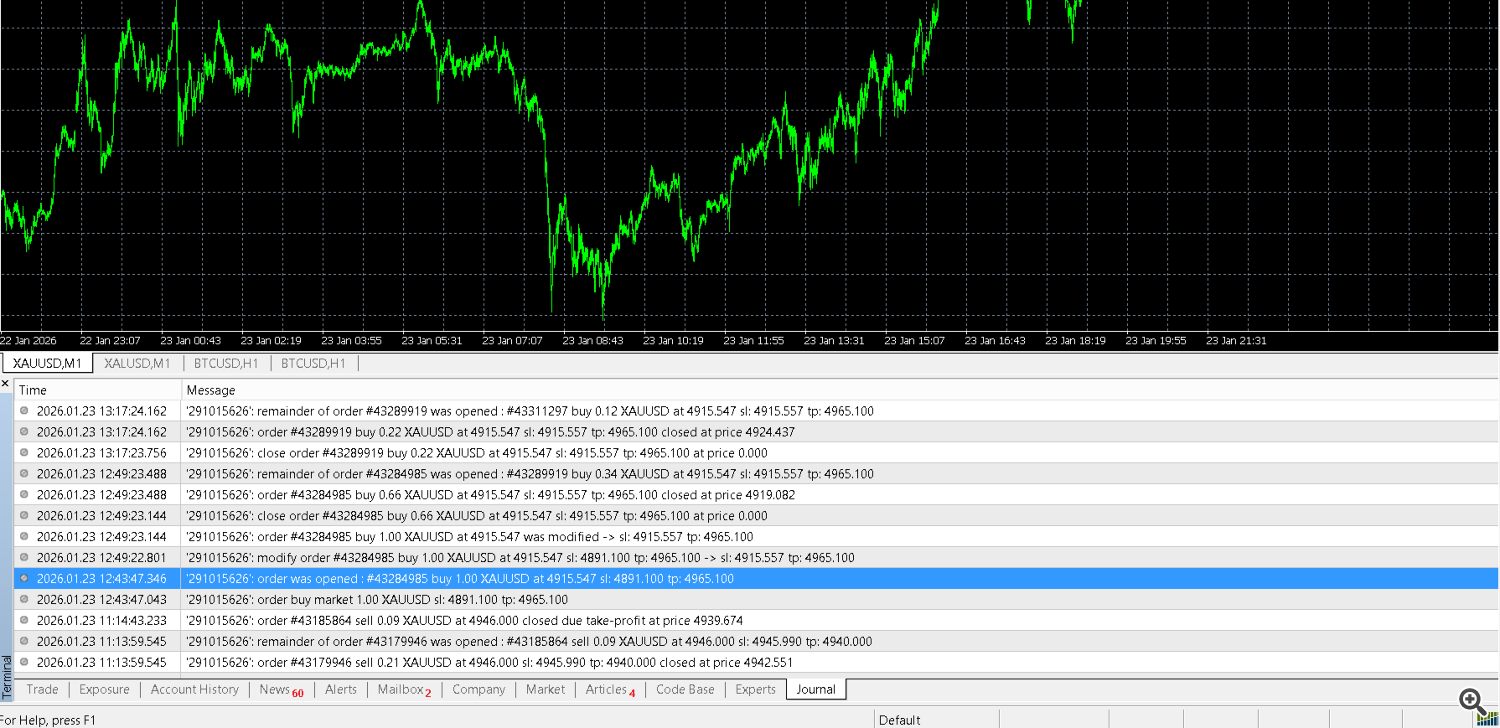
Important: “Experts” displays product messages, while “Journal” displays terminal system events and trading server responses. Typically, both are needed for diagnostics.
5) How to save logs to a file
Option A (easy): open the data folder and take the files you need
- In the terminal, open the menu: File → Open Data Folder .
- The further path depends on the platform:
- MT4 :
- Experts logs: MQL4\Logs\
- Terminal logs (Journal): Logs\
- MT5 :
- Experts logs: MQL5\Logs\
- Terminal logs (Journal): Logs\
Log files are typically date-based. Attach the logs from the same day the issue happened (and the adjacent day if it happened around midnight). Ideally, zip them into one .zip: one file from Experts + one file from Journal.
+ Please indicate in the comment which specific trade had the problem so that we can find and view the data on it in the logs.
Option B: Copy text from Experts/Journal tabs
- Open the Experts or Journal tab.
- Right-click on the messages list.
- Use Copy and paste into your message (or save to file if your terminal menu provides it).
Option A is preferred because the raw log files are more complete and time-accurate.
6) If you see an order opening error — it’s not random
When an EA/utility reports an opening error, there is almost always a specific reason: wrong order type, invalid price, SL/TP too close, broker restrictions, high spread, stop level, market closed, etc. That’s why the exact trade parameters are critical:
- Entry price the product attempted
- Exact SL and TP values
- Order type (Market/Pending; Buy/Sell)
- Time of the attempt
- The exact error message from the log
7) For trade copiers / signal tools: attach the signal example
- Signal text exactly as received (Telegram/Discord/email/file, etc.).
- Log/screenshot showing how the product parsed the signal and what it attempted to open.
- Result in History/chart: what was actually opened (or not opened).
8) How to write in comments: short and factual
The comment section is not a chat. The clearer and more structured your report is, the faster you get a meaningful response.
Bad: “Nothing works. Fix it.”
Good: “MT5, EURUSD, 2026-01-24 14:37 terminal time. Signal: BUY 1.08500 SL 1.08350 TP 1.08800. Expected market entry; Experts shows error X. Attached Journal + Experts + set.”
9) What is prohibited (will be considered spam)
- Advertising signals, channels, third-party services, or promotional links.
- Promoting other products like “another copier works perfectly”.
- Spamming comments without facts (logs/examples) and without a specific case.
Such messages may be removed. Repeated violations may result in a ban.
10) Support request template (copy & fill)
Symbol: ___ Date/time (terminal time): ___ Issue summary (Expected vs Actual): – Expected: ___ – Actual: ___ Trade details: – Ticket/time: ___ – Type: BUY/SELL Market/Pending – Entry: ___ – SL: ___ – TP: ___ – Lot: ___ Attachments: – Experts log: attached (file/zip) – Journal log: attached (file/zip) – set file: attached (if applicable) – signal example: attached (if applicable)
Provide structured facts — and you’ll get a structured, actionable answer.
